The Budget Blueprint: A Clear Monthly System You Can Actually Run
Most budgets don’t fail because people are careless. They fail because the system hides what’s driving pressure — and when that pressure hits.
A budget is only useful if it answers one question clearly: “Where is the money actually going—and what does that mean for the rest of the month?”
This guide is built to reduce noise. It separates fixed obligations from flexible spending, shows how timing creates “mid-month squeeze,” and explains how to use a simple calculator run to make the drivers visible.
For educational purposes only. FinFormulas provides general estimates and explanations, not financial, tax, legal, or investment advice.
This guide is designed to be practical without being prescriptive. The goal is understanding: what inputs drive outcomes, what a model includes, and what it doesn’t.
What a “budget” really is (in one sentence)
A budget is a simplified cash-flow map: money in, money out, and the timing and categories that explain why the month feels easy or tight.
That framing matters because most frustration comes from mismatched expectations. A budget is not a moral scorecard, and it is not a guarantee that a month will go smoothly.
It is a way to make the moving pieces visible so the causes of pressure show up early: fixed costs that quietly climbed, flexible categories with no cap, or timing that concentrates bills before pay hits.
Two outcomes to aim for
Clarity: it’s obvious why the “leftover” number is what it is.
Control: if a month goes off-track, it’s clear which category moved and by how much.
A budget that doesn’t produce these two outcomes is usually missing either category structure or timing context.
The three-lane blueprint: fixed, flexible, future
A clean budgeting system doesn’t require dozens of categories. It requires categories that behave differently.
The simplest structure is three lanes:
The key question is not “what did I spend?” but “which lane is dominating the month — and why?”
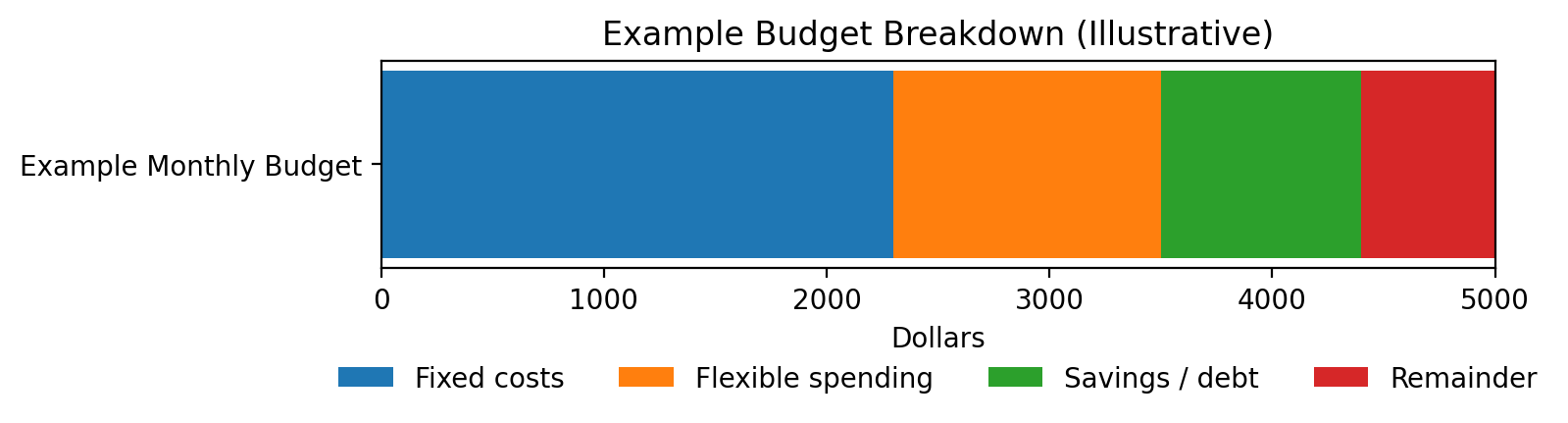
The three-lane blueprint makes it immediately clear what sets your floor (fixed), what drifts (flexible), and what prevents predictable “surprise months” (future commitments).
1) Fixed obligations
Costs that are predictable and hard to move quickly: housing, utilities baseline, insurance, minimum payments, subscriptions, committed childcare.
Fixed costs set the floor. If the floor is high, the month becomes fragile even if spending “feels normal.”
A budget run should make the floor explicit.
2) Flexible spending
Categories that expand unless constrained: groceries, dining, fuel, entertainment, shopping, small recurring costs that don’t look like “bills.”
This lane is where drift happens. The goal isn’t perfection; it’s visibility.
A cap turns “I think it’s fine” into “we’re 70% through the cap halfway into the month.”
3) Future commitments
Sinking funds and non-monthly expenses: annual renewals, car repairs, medical deductibles, holidays, travel, irregular work costs.
This lane prevents “surprise months.”
When future commitments are ignored, the budget looks healthy right up until something predictable arrives.
Many budgets break because they blend these lanes into one list. Fixed costs need stability, flexible categories need caps, and future commitments need planning for non-monthly timing.
Why cash flow can feel tight even when totals look fine
It is common to see a budget where totals appear reasonable, yet the month feels tight before payday. That disconnect is usually timing plus clustering.
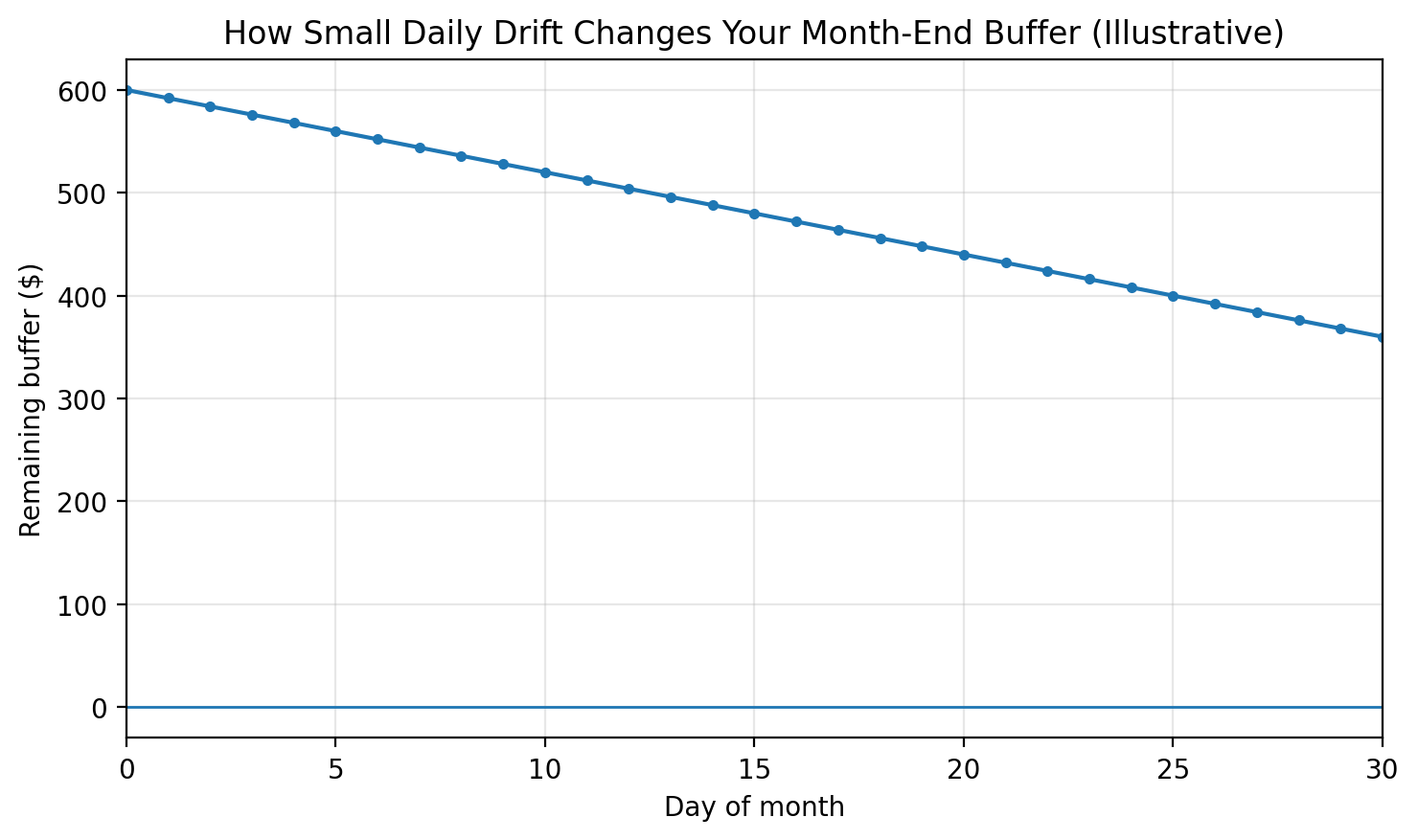
This chart is useful because it makes drift visible: small “normal” months can still compound into a squeeze when categories aren’t constrained.
Small “almost nothing” overspends often create the squeeze, not one big mistake. Seeing drift over time makes the driver obvious.
The “mid-month squeeze” pattern
Bills land early (rent, insurance, large autopays), pay arrives later, and flexible spending continues in the background.
On paper, the month can “balance,” but the daily balance dips sharply when obligations cluster before income hits.
That is a cash-flow timing issue, not necessarily a “spending too much” issue.
This is why a budgeting workflow often pairs two tools:
the Budget Calculator (category totals) and the Paycheck Calculator (timing).
The first answers “where,” the second answers “when.”
A clean first run in the Budget Calculator
A first run is not about precision. It is about finding the drivers.
The goal is to enter a simple baseline that is consistent, then change one input at a time and watch what moves.
Baseline run checklist
Use take-home income (not gross). A budget built on pre-tax numbers often “works” in theory and fails in reality.
Start with fixed costs first. List obligations that happen even in a low-spend month.
Group flexible spending into a small set of categories. Too many categories creates noise and hides drift.
Add future commitments as a separate lane. Think of these as “monthly equivalents” of non-monthly costs.
Leave room for uncertainty. If everything must go perfectly to break even, the system is brittle.
After the baseline, the calculator becomes a diagnostic tool. If the “leftover” number is unexpectedly small, the next step is not to “try harder.”
The next step is to identify which lane is dominating: fixed costs too high, flexible caps unrealistic, or future commitments missing.
How category caps work (and why they fail)
Category caps are powerful because they create a reference point: a number that turns vague discomfort into a measurable signal.
Caps fail for predictable reasons, and the reasons are usually structural—not personal.
Cap without a definition
“Groceries” means different things month to month.
If a category includes both essentials and convenience purchases, it becomes hard to interpret.
The cap is still useful, but it should be paired with clarity about what is inside the category.
Cap ignores timing
Monthly totals can hide early-month spikes.
A category can be “on pace” overall and still cause stress if most spending happens before income arrives.
That’s where a pay timing view provides context.
Cap competes with non-monthly reality
Annual and irregular costs show up as “random” months.
If future commitments are not accounted for, a month with a renewal or repair makes caps look “broken.”
The system didn’t break; the model didn’t include the obligation.
The most useful caps are the ones that produce a quick diagnostic:
“This category is trending high” or “This month’s timing is front-loaded” or “A non-monthly cost landed.”
The calculator’s job is to make the diagnostic obvious.
Stress tests: one-input changes that explain surprises
One of the fastest ways to learn from a budget run is to keep a baseline and adjust a single variable.
This prevents confusion where multiple changes happen at once and it becomes unclear what caused the result.
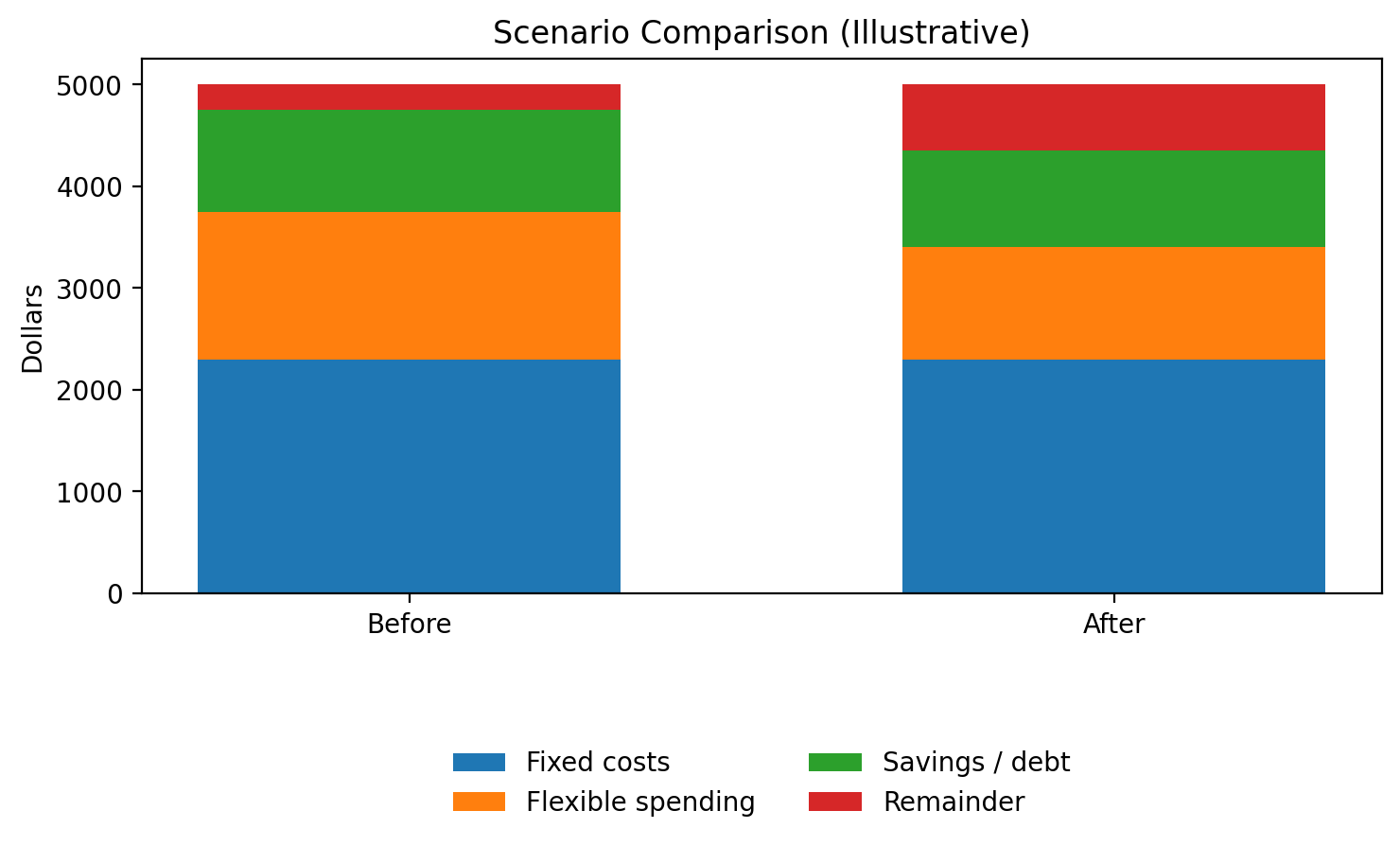
The point here isn’t the total. It’s how two months can “balance” and still feel different because the mix changed.
Two months can “balance” on paper and still feel completely different. Distribution (what grew) matters as much as totals.
Fixed-cost stress test: increase housing and utilities by a small amount and observe how quickly “leftover” collapses. This highlights fragility driven by the floor.
Flexible drift test: increase one flexible category (for example, dining or shopping) and observe how much it moves the month. This clarifies which categories are “high leverage.”
Future-cost test: add a realistic monthly equivalent for non-monthly costs and compare the “calm month” view versus the “real month” view.
Timing test: keep totals constant and map pay dates and bill dates using the Paycheck Calculator to see why the mid-month squeeze occurs.
A simple interpretation rule
If a single input change makes the month swing dramatically, that input is a driver. Drivers deserve clarity and monitoring.
The job is not to “optimize everything.” The job is to identify the few drivers that actually move the result.
Common budgeting mistakes that create “phantom” overspending
Phantom overspending is when the month feels off, but it’s not obvious where the money went.
The cause is often bookkeeping mismatch rather than large hidden purchases.
Mixing gross and net
A budget using gross income can look healthy while real cash flow is tight.
Using take-home income helps the model match reality.
Annual costs treated as “surprises”
Renewals, registrations, and periodic medical costs often appear as random spikes.
In a budgeting model, they are better treated as future commitments with a monthly equivalent.
Debt payments counted twice
A common confusion is listing total card spending and also listing card payments, which can double-count the same outflow depending on how categories are tracked.
Transfers mistaken for expenses
Moving money between accounts can look like “spending” in a transaction list.
A budget benefits from separating true expenses from transfers and allocations.
If a budget run feels inconsistent with real life, the fastest fix is usually definitional:
clarify what each category includes, confirm whether income is net or gross, and ensure non-monthly costs are represented.
How to pair budgeting with the rest of the FinFormulas tools
Budgeting is the foundation layer. Other calculators become more useful once the foundation is clear because inputs are grounded in cash flow reality.
Savings becomes measurable
Once monthly cash flow is visible, a savings goal becomes a timeline question instead of a wish.
Use the Savings Calculator to translate monthly contributions into dates.
A payoff timeline depends on the surplus your budget can reliably support.
Use the Debt Snowball Calculator to model scenarios using a consistent monthly extra.
If totals look fine but the month feels tight, timing is often the missing explanation.
Use the Paycheck Calculator to align pay timing with bill timing.
Projections depend on contributions, and contributions depend on budget reality.
Use the Investment Calculator to compare scenarios once monthly capacity is clear.
A budget doesn’t prevent surprises. It explains them.
When the model is clear — what sets the floor, what drifts, and what’s waiting in the future — pressure stops being mysterious and small changes stop being invisible.
Quick next reads
If you want the broader map of how these tools fit together, start here and branch out based on the question you’re actually asking.